Tuesday, November 3, 2015

Key Ring

Hasil gambar untuk app Key Ring

Key Ring is a popular mobile wallet designed for shoppers who want to maximize their loyalty perks without having to carry around a stack of cards in their wallets. It runs on both Apple and Android phones and has more than 12 million users. You can use it to store your membership and loyalty cards, create and share shopping lists, and find deals at your favorite stores. The electronic wallet can also hold your gift cards. However, this mobile wallet doesn't hold your debit or credit cards.

Hasil gambar untuk app Key Ring

Key Ring is a virtual wallet that stores users loyalty and membership cards through barcode scanning.
To upload any membership or loyalty card (i.e. gym, grocery store) the users clicks on the card icon and the app’s barcode scanner will appear on the screen.  The app will scan and save the barcode as well as any ID number associated with the card.  Users can name the card as well as take a picture of it so a thumbnail is displayed for an easy search.
A loyalty program feature searches businesses near the user that are offering incentive programs. The users can enroll in the programs from the app.
A local offers feature searches any deals or coupons local businesses are offering and displays the coupon as well as location of the business.
Hasil gambar untuk app Key Ring
Other features are weekly circulars from big box stores in the users area, and a shopping list where users can save any deals they find.
The digital wallet uses barcode technology and uses your phone's camera as a barcode scanner that you can use to upload the data from your barcoded cards to the app. When you're checking out at the store and need to present a card, the app displays a barcode on your screen that store clerks can scan.
If your family members also install Key Ring, you can choose to share select loyalty cards with them in order to maximize your perks. You can even share a Key Ring account with another user, such as a spouse, if you both have the mobile wallet app installed and you want to share all of your loyalty cards with them.
Hasil gambar untuk app Key Ring
Key Ring gives you access to coupons from more than 13,000 brands and retailers as well as weekly sales circulars from more than 170 retailers. When viewing the circulars, you can select items to add to your shopping list. You can follow stores that you don't have loyalty cards for. The electronic wallet also offers a free prescription savings plan that can help you save money.
You can create multiple shopping lists and share them with family members or friends. This mobile wallet's shopping lists have real-time syncing, which can be useful if someone adds an item to the list while you're still at the store. It also allows you to add photos of the products on your shopping list, which can help you make sure that you pick up the exact item you need.
Hasil gambar untuk app Key Ring
Although Key Ring doesn't hold your credit and debit cards or allow you to tap to pay at the register, it's a useful, shareable mobile wallet. You can use it to organize and store your loyalty and membership cards, find savings at your favorite stores, and save money with coupons.

Sunday, August 30, 2015

Amazon Shopping

Hasil gambar

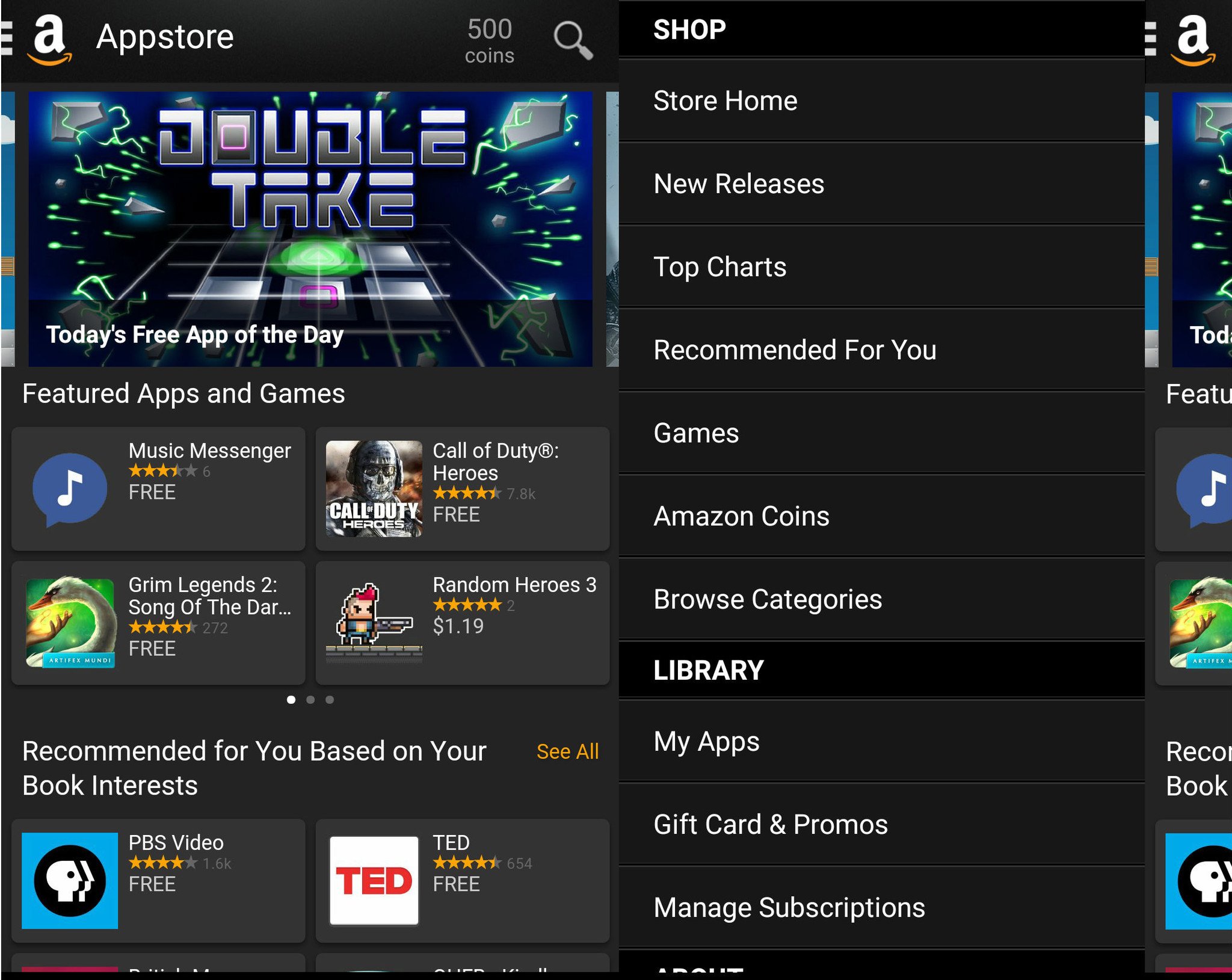
Once you get the Amazon Appstore up and running on your phone, using it works a lot like Google Play; apps are broken up into categories and you can search for them just like in Google Play. The app selection isn't quite as robust, as there are only about a third of a million apps on Amazon — as opposed to the 1.4 million on Google Play. Among the apps missing are those from Apple and Google — the absence of YouTube in particular has lead to a multitude of client apps. There are some Amazon-only apps, but the biggest one you may care about is the Amazon Instant Video app. If you're a Prime member, then you need the Amazon Instant Video app (and thus the Amazon Appstore) in order to take advantage of the videos your subscription provides.

It is not the sexiest UI in the world, nor the most intuitive, but it will get you by in a pinch.

The design of the Amazon Appstore is a little lackluster compared to the material Play Store — though personally I'm a fan of the dark design — and while it's easy enough to find your way around, the layout leaves something to be desired, especially since the layout between the app and the website varies a fair bit. The UI and categorization of the store highlights how the Amazon Appstore is aimed more at leisure than work, with Games, Music, and Entertainment apps taking the top three Featured categories above the rest of the store. Navigating the store without the pull-out drawer is far more difficult, as you have to open the drawer to access any app category. This means that casual browsing situation is far from ideal, but when looking for a specific app, the Amazon Appstore will get you by.

I am a sucker for dark things, but even I have my limits.

Now, many a user has cheered the Amazon Appstore for one simple reason: the free App of the Day. And on the rare occasion that the App of the Day is something you want, that's great. However, beyond the semi-annual days when Amazon offers hundreds of dollars worth of apps for free, the App of the Day is usually lackluster. When there's something noteworthy, that's great, but when there is, you should probably go grab a lottery ticket.

When buying an app, you'll have two options: regular cash/credit or Amazon Coins. The value of an individual Amazon Coin varies by market/currency, but in America, one coin equals one cent. 500 coins is worth five bucks, but it cannot be spent in any other part of Amazon's store, such as digital music or Prime video, another contrast with Google Play, whose credit can be used on anything digital. If you're intending to buy someone credit for the Amazon Appstore, skip the confusing and constricted Coins and buy a regular Amazon gift card, which can be used site-wide.

These Amazon Coins. You should probably nt use them.

Once you've built up a collection of apps, you'll be able to manage them from Your apps in the menu, and there will be three columns, Cloud (all apps) Device (installed apps), and Updates. From here, you can pick and choose what goes on your device and update apps as needed. Because your Amazon apps aren't tied to your Google Account — even if that's the email associated with your Amazon account — buying your apps through Amazon means that you could share them among your family members — like your children — without them getting access to your Google Drive, or your email. It also means that even if you have separate accounts for work and personal devices, through the Amazon Appstore you could use the same apps between them.

These numbers do not match. That is not a good thing.

Because not all developers can push updates everywhere instantly, this means that developers sometimes prioritize one app store over another. So, if you bought a game from Amazon, it may get an update more quickly — or more slowly — than if you'd bought the game through Google Play. This isn't Amazon's fault, but it nonetheless is it a factor to consider when buying. Your app may not get new features, bug fixes, or security patches as quickly because of differences in updates.

There are benefits from the Amazon Appstore to be sure — from free apps to app libraries independent of your Google account — and while the store itself could use some work, at the end of the day, only you can decide if its worth your time, effort, and money/Amazon Coin. Being able to pick the best price across app stores is a win for consumers, but the hassles of sideloading a store and remembering which apps get downloaded/updated from on a new device can be a bit of a headache.

Monday, May 25, 2015

PriceGrabber

Hasil gambar untuk app  PriceGrabber

Finding the best price in town using your Android phone is an easy task given the bevy of available shopping applications, from the most popular Barcode Scanner app to the original ShopSavvy.  Now we have a new program from my favorite online tool for the price conscious, PriceGrabber.com.  The PriceGrabber application has been available for a while now on the iPhone and iPad, but they recently released an Android version that is available now and is free to download.
For those of you who are unfamiliar with PriceGrabber, it is a website that allows you to easily find the lowest prices for millions of products from thousands of online merchants. With PriceGrabber for Android, you have the same power as the PriceGrabber website, only now it’s in your pocket.
Launching the application takes you immediately to a list of cool stuff just ready to tempt you into your next purchase.  Although my initial list had an iPhone….LOL….I don’t think it has filters… j/k.  A simple tap on an item takes you into a more detailed view of the product and offers easy access to the available merchants and reviews.
 pricegrabber firstscreen
From here you can start your search by typing the name of whatever you are looking for into the search box, or you can go into the UPC option and type in a UPC code or scan a barcode using your camera and the built- in scanning function.
Using the camera is just like any other barcode scanning application, simply point your phone’s camera at any barcode and the application does the rest.  When your search is completed, you get a selection of products based on your search criteria. This list can be huge or small depending on how much detail you provided with your search.  A simple search for a Samsung LCD TV returned 158 results.  Clicking on one of the returned results brings you to the product details screen with a list of the best prices the application could find.
 pricegrabber barcodescanner 01   pricegrabber searchresults 01   pricegrabber barcodescanner 01
Various setting allow you to customize your experience by letting you to use your location to find the lowest prices locally, as well as allowing you to specify if you want to use US or UK UPC styles and the type of UPC alerts you want.
Another cool feature of the PriceGrabber application is the Random Gift function.  Drag your finger down the plunger, just like a Vegas slot machine and PriceGrabber goes out a grabs a gift idea for you.  For some reason the application chose a Frozen Drink Maker for me… hmmmmm, Margaritas!
 pricegrabber settings   pricegrabber menu   pricegrabber gifts 01
Instead of searching, you can also browse through a whole list of categories digging further and further until you reach the area you want.  It’s a nice feature if you just want to browse a particular category of product.  The funny thing is, the application tried to sell me an iPhone once more as I browsed down to the cell phone category.
Overall the application is very easy to use and gives you instant access to the vast library of products and prices indexed in the PriceGrabber system. You just have to ignore their obvious penchant for the iPhone.

Tuesday, March 3, 2015

Smoopa

Hasil gambar untuk app Smoopa

Use Smoopa for Android to shop with confidence. Not sure if it’s a good price? Use Smoopa for Android to find out. You can share a good price with your friends, buy it for less online, get an in-store price match, or save by signing up for price alerts. How do I use Smoopa? Use Smoopa for Android when you’re out shopping. Select the store you’re at, scan the barcode on the packaging, and then enter the price. We will compare it with other prices in our database to determine if it’s a good price.

Smoopa is a price matching bar code scanner for the Android platform. Smoopa allows you to select the store you are in, scan the item you wish to purchase, and see all of the local and online prices for the product you wish to purchase. Smoopa also allows you to create a Smoopa account to save a history of all of your price searches.
Smoopa allows you to scan barcodes of products that you see in a store and obtain prices for that product at various other locations. In order to do a price search on a product the user needs to click on the “Price” tab in the application.  From this tab you are able to select the store that you are in based on the application’s suggestions. Smoopa uses your GPS in order to find stores near your phone’s location in order to assist you in using the application. After choosing the store you are in, the user merely needs to scan the barcode of the product in and type in the price being offered for it at that venue. After hitting the “Check Price” button you are presented with a list of stores and prices that the item is available in.
Hasil gambar untuk app Smoopa
Unfortunately, the application is limited to showing prices that are within it’s database and not everything will be found using this application. However, I did find it extremely useful at pricing out DVD’s at Walmart and was presented with a much cheaper price for the movie “Antitrust” on an online alternative. I was pleased to find some local stores in the Smoopa’s database like Walmart and Macy’s. Giving this application a little more local relevance than some of the more popular price matching applications I have tried in the past.
Smoopa also features a “Popular” tab which lists all of the items that are currently trending in searches of their database. The items that I saw in the “Popular” category were of no interest to me, but I can understand how they would be useful to those that are using this application. Most of the items were video games, batteries, and baby products. An interesting compilation, but who can say what other peoples needs are? There is such a large and mixed variety of Android users now that I am not surprised to see more shocking combinations of objects together.
Finally, the app also allows you to create a Smoopa account to keep track of all the item searches you have done in the past. This allows you to consistently check on prices for TV’s, Game Consoles, Furniture, and other large ticket items and to see when they are dropped. I have to say I was very impressed with some of the prices I was able to find on LCD TV’s through this application; either prices have dropped a lot in the year I got mine or this application is a god send for the TV shopper!
Hasil gambar untuk app Smoopa
Smoopa is extremely useful when shopping for DVD’s, Video Games, and other electronics. I am not so sure that it would be useful for food or produce. The main issue with Smoopa and other barcode scanning applications is that the application is limited to the prices of products that are in their database. Unfortunately it would be nearly impossible for any application to have up to date prices on all the products available in the world. However, with technology based items there appears to be more open access to pricing both in stores and online. In other words, I would use Smoopa or other bar code scanners when shopping for electronics, but not when getting the groceries.
Smoopa is extremely easy to use. All you need to do in order to search for prices is to select the store you are in, scan the barcode of the item, and type in the retailer’s price. The application will do all of the searching and price matching for you. My main complaint on this topic is that you can not do searches for generic strings like TVs, DVDs, and Electronics. Instead you have to put in the exact bar code of the item you are searching for, or scroll indefinitely through the list of popular items. I think the developer should open up searching for items by name as an option along with the included bar code scanner. This would give users more value to the application and make it much easier to use for the average consumer.
Hasil gambar untuk app Smoopa elektronok
I may use Smoopa in the future when shopping for electronics like TVs, Computers, DVDs, or Game Consoles; but I will not use it for my weekly shopping. This and all bar code scanning applications are very limited on the items they can provide in their item scanning databases and generally are not useful for food shopping or produce.
The interface for Smoopa is clean cut and extremely easy to use. My only gripe with the application is it’s inability to allow the user to search for a product through a generic search string instead of a bar code.

Thursday, January 29, 2015

Newegg

Hasil gambar untuk Newegg app

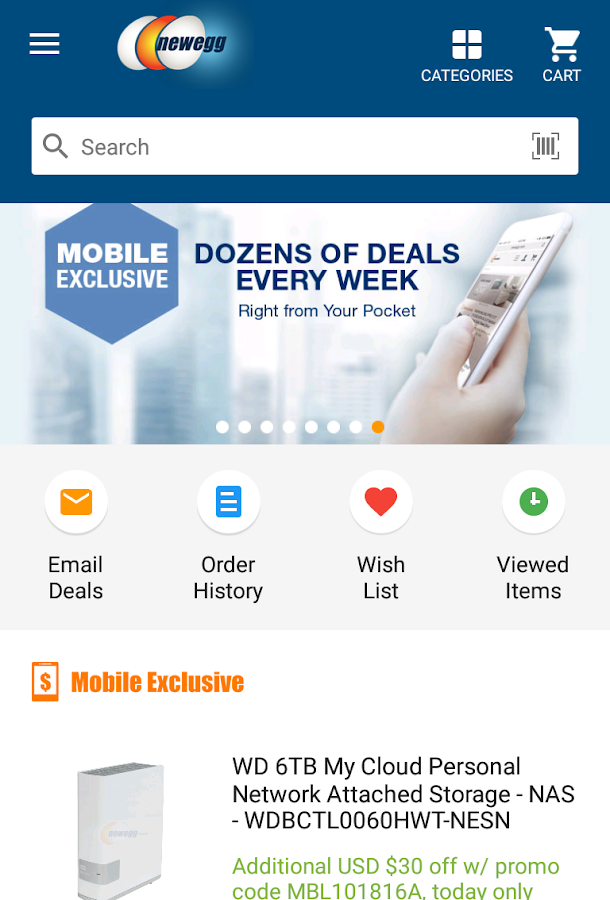
With technology developing faster than you can say technology, we always crave for the newest device on the market. With Newegg, you can find all the electronics you are looking for, but also jewelry, perfumes and even pet supplies.

The Newegg app provides you with more or less the same product-browsing experience as its website counterpart. You can search for the item you want to buy and Newegg will list the results according to price, useful links and their subcategories. The best deals of the day are shown on homepage. Adding products to your wishlist or directly to your shopping cart is a breeze.
Hasil gambar untuk Newegg app
Newegg.com users are used to reading comprehensive product specifications and helpful authentic customer reviews. The iPad app didn’t miss the mark on this either. Each product is carefully documented, and most if not all products bear reviews. I don’t know about you, but I’m more likely to buy if other have already and recommend it to me.
One of the coolest features is the compare option that lets you select a couple of products and compare them according to their specs. To use this feature though, you need to be viewing a category. The option to Compare doesn’t appear when viewing an individual product.
Hasil gambar untuk Newegg app
So tap “Compare” and select up to five different items. Their specs are lined up nicely on the screen and you can easily add the one you like to your wishlist or shopping cart. It essentially the same flow as the website, but the fact that you can now touch the products you want to compare just makes it that much more easier.
It’s great to see that not much has been stripped from the website experience. All in all, the app does a great job at simulating and even enhancing the web experience. Everything works as expected and there’s a good use of the iPad’s real-estate. It’s nice that you can “touch” products before having them delivered to your house.
Hasil gambar untuk Newegg app
Pretty much everything you would ever need is at the touch of a button. Whether you’re looking to see your account, what you recently viewed, share products with your friends or get help, they’re all within reach, just where you would expect them to be.
One thing I seriously enjoyed is the animation between categories, when browsing for products. The products just fly out at you and disappear. Then they are instantly replaced by the new selection. It’s the little things that make me smile, I know.
Hasil gambar untuk Newegg app
Newegg is the store that lets you window-shop for as long as you like without any pressure. It helps you compare products and remembers the products that you loved. And when you're ready to buy, you don't have to walk a mile to the store that holds your product. Because all the products are in one place, at one app download away. And personally, I choose the iPad app over their website for being much more user friendly than its click-only counterpart.